
Catch weight picking: sold by the case, picked by the pound

A restaurant orders 84 pounds of chicken breast. The shelf has 40-pound cases. Somebody has to work out that it's two cases plus about four pounds, find the loose product, and write down what actually went in the box. On paper, that's where mistakes live.
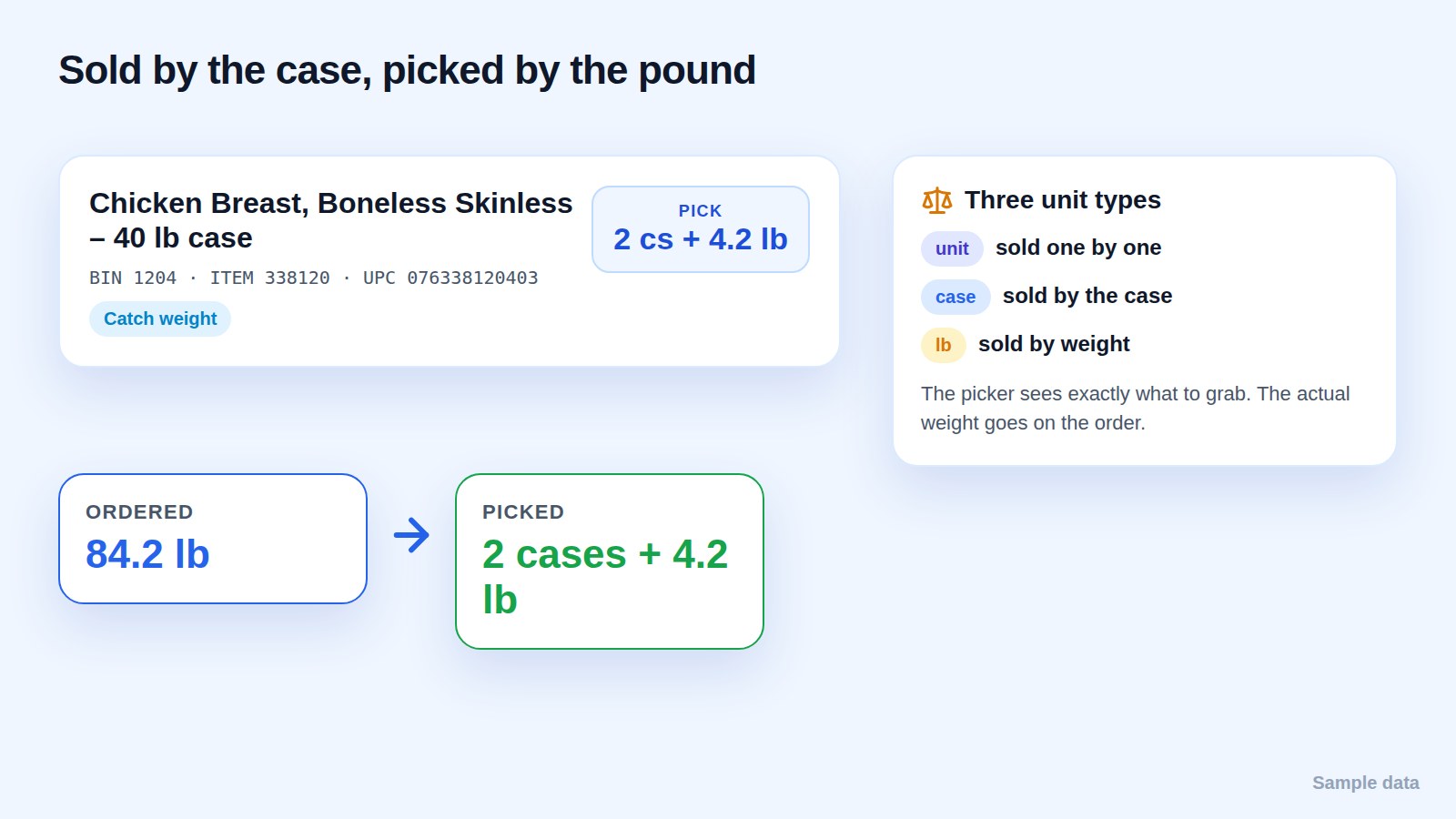
Three unit types, three different jobs
Food products are sold in three ways, and each one is picked differently:
- Unit: sold one by one. Pick the count.
- Case: sold by the case. Pick the count of cases.
- Pound: sold by weight. Pick close to the target, then record the actual weight.
Most picking errors with weighted items come from mixing these up: a pound read as a unit, or a case read as a pound. The unit has to travel with the quantity everywhere it appears.
Tell the picker exactly what to grab
"84.2 lb" is a number for the office. On the floor, the picker needs "2 cases + 4.2 lb". Drofilla shows the quantity in the form the picker can act on, with the bin, the item number and the UPC on the same line, so there's no math in the aisle.
Check it before it leaves
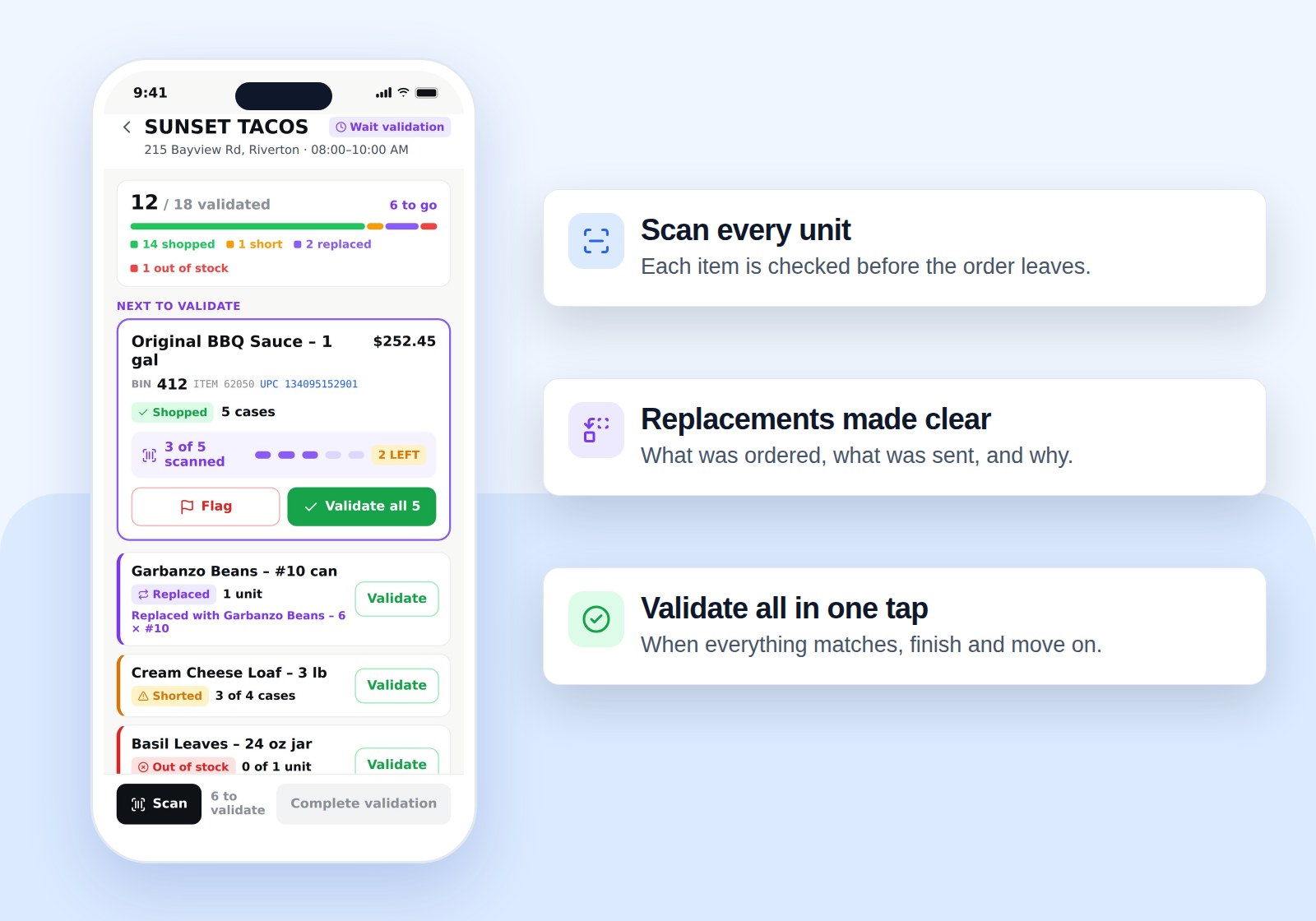
Weighted items are the easiest to get slightly wrong and the hardest to spot later. Validation checks each item, with its unit, before the order is checked out. A replaced or shorted weighted item follows the same rules as any other item: shopped quantity of requested quantity, with units.
FAQ
Can the same product be sold by the case and by the pound? Yes. What matters is that every order line carries its own unit, so the picker and the customer see the same thing.
What does the customer see? The items they ordered, with the quantities and units that were actually picked, including any shorts or replacements.