
From shorthand emails to clean orders

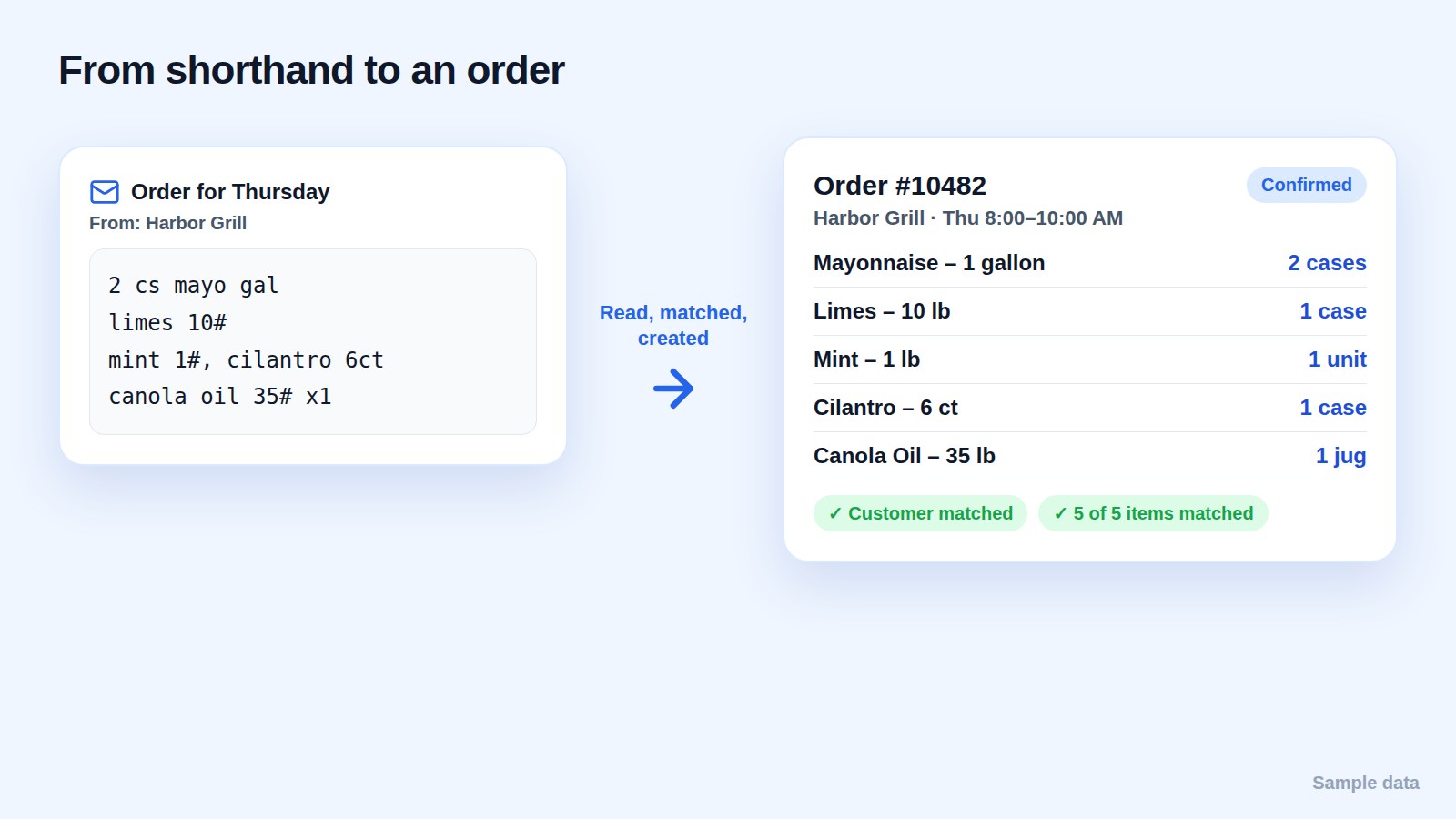
Restaurants don't fill in forms. They send emails at night, in their own shorthand: "2 cs mayo gal", "limes 10#", "mint 1#, cilantro 6ct". Somebody reads every one in the morning and types it into a sheet. That person becomes the bottleneck for the whole day.
Keep the inbox, drop the retyping
The fastest way to lose customers is to make them order differently. The goal is the opposite: customers keep emailing the same address, and the orders appear on their own.
With Drofilla you add a forwarding rule to your order inbox. Same inbox, same customers. Nothing changes for them.
What "reading the email" actually means
Turning an email into an order takes four matches:
- The customer: which restaurant sent it.
- Each item: which of your products "mayo gal" means.
- The quantity: how many.
- The unit: cases, pounds or units. "10#" is ten pounds, not ten units.
Drofilla reads each email line by line, matches the customer and every item, quantities and units included, and creates the order.
Review before picking, not after
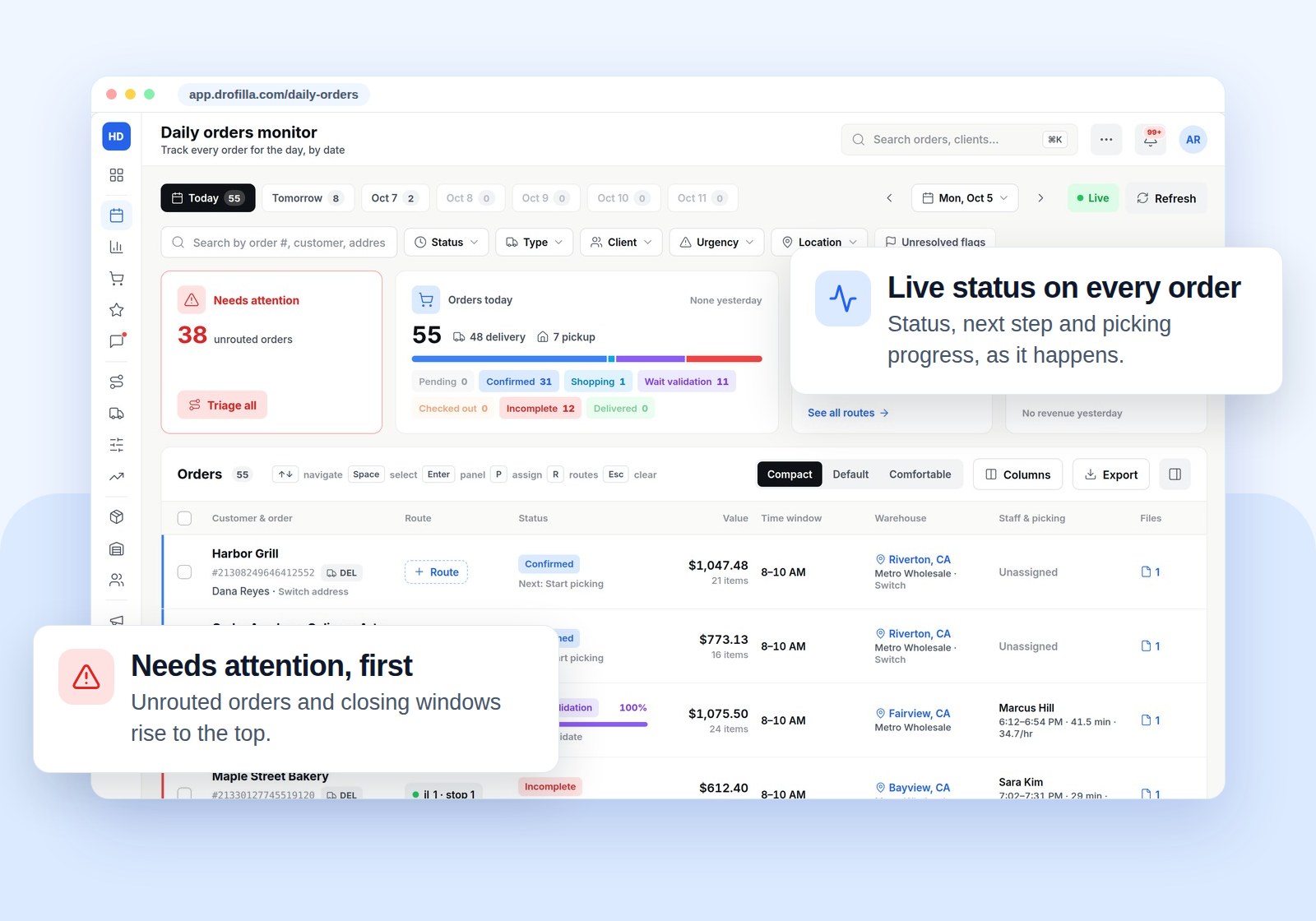
Every order lands on the Daily orders board, updating live for every store. Your team can open, review and edit any order before picking starts, so an unusual line gets a human look while it's still cheap to fix.
Confirm it to the customer
The customer gets a confirmation text under your company name, with the delivery window and a live tracking link. No "did you get my order?" call the next morning.
FAQ
Which email provider do I need? Any inbox that can forward email.
What if an email is unclear? The order is on the board for your team to check and edit before picking.