
How to reconcile a payout report against your orders

When a payout report arrives, every line has to be checked against an order you delivered. With hundreds of lines a week, one missed line is money you earned and never collected, and nobody notices until much later.
This guide walks through the manual method first, because it shows what good reconciliation actually checks. Then it shows what changes when the matching runs on its own.
Why payout reconciliation hurts
A payout report is the source's version of what you delivered. Your order list is yours. The two are written by different systems, on different schedules, with different order number formats. Reconciliation is the work of proving they agree, and finding exactly where they don't.
Done by hand, it usually happens once a month, by one person, in a spreadsheet. That is the worst combination: the gaps are old by the time anyone looks, and only one person knows how the sheet works.
The manual method, step by step
- Export your delivered orders for the same period as the report.
- Normalize order numbers on both sides, including leading zeros and prefixes.
- Match each payout line to an order by order number.
- Compare the amounts on every matched pair.
- Mark matched orders as paid.
- List every line without a matching order, and every delivered order without a payout line.
- Investigate each gap: a missing order, a typo, or a payment still due.
Checklist before you close the period: same date range on both sides, order numbers normalized, every unmatched line assigned to someone, matched orders marked paid.
Why lines don't match
Unmatched lines almost always fall into one of three buckets, and each one needs a different fix:
- The order was never entered. It was delivered, but it never made it into your system. The fix is to find and add the order.
- The order number differs. A typo, a missing digit, a different prefix. The fix is to correct the reference, then match.
- The amount differs. The order matches, but the payout amount doesn't. Accept the source's amount or fix the order, and note why.
Sort unmatched lines by cause before you start fixing them. It turns one long list into three short ones.
Automating it
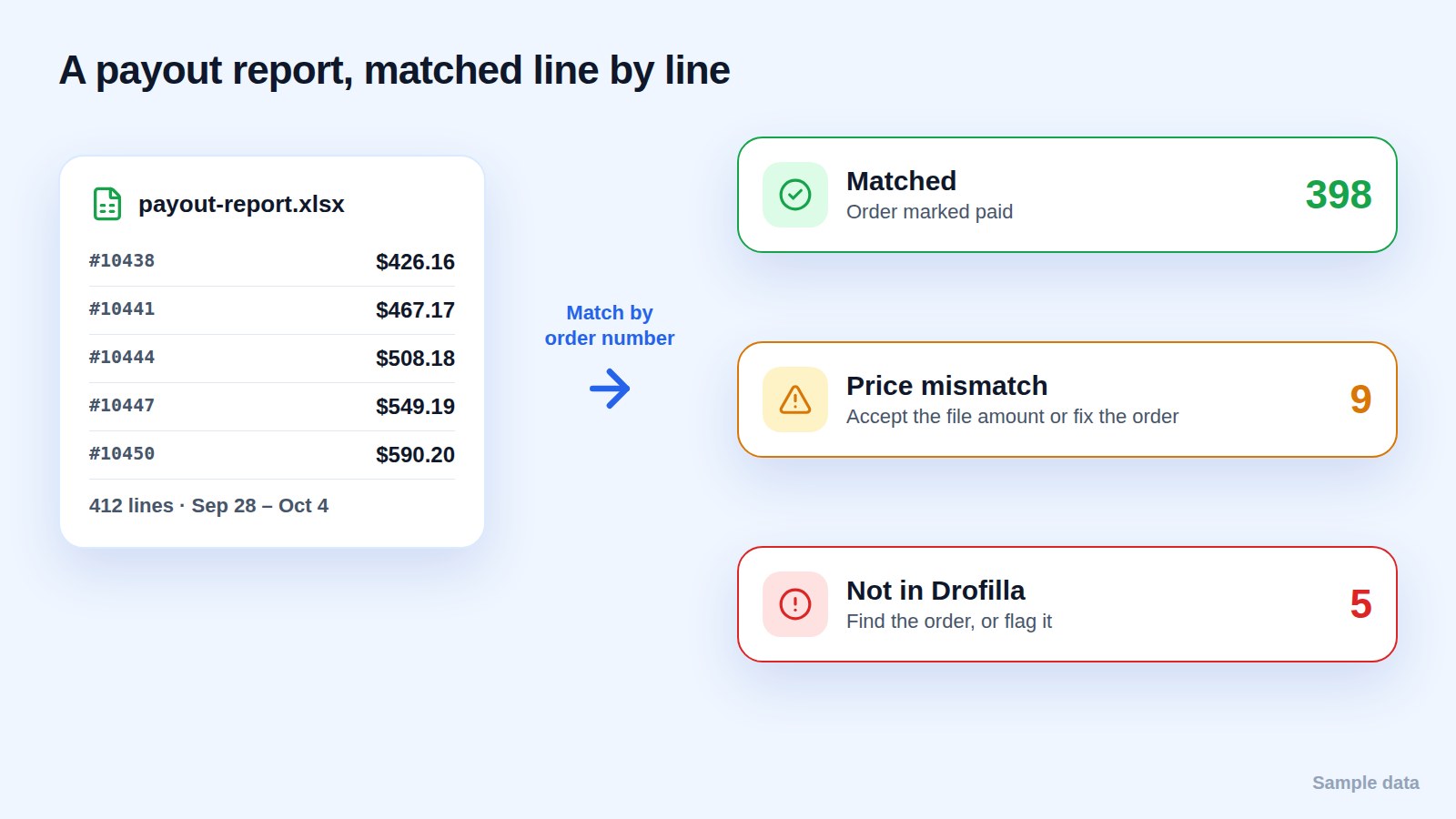
In Drofilla, the payout report comes in from your inbox or as an Excel or PDF you upload. Every line is matched to its order by order number, matched orders are marked paid, and only the exceptions wait for a decision:
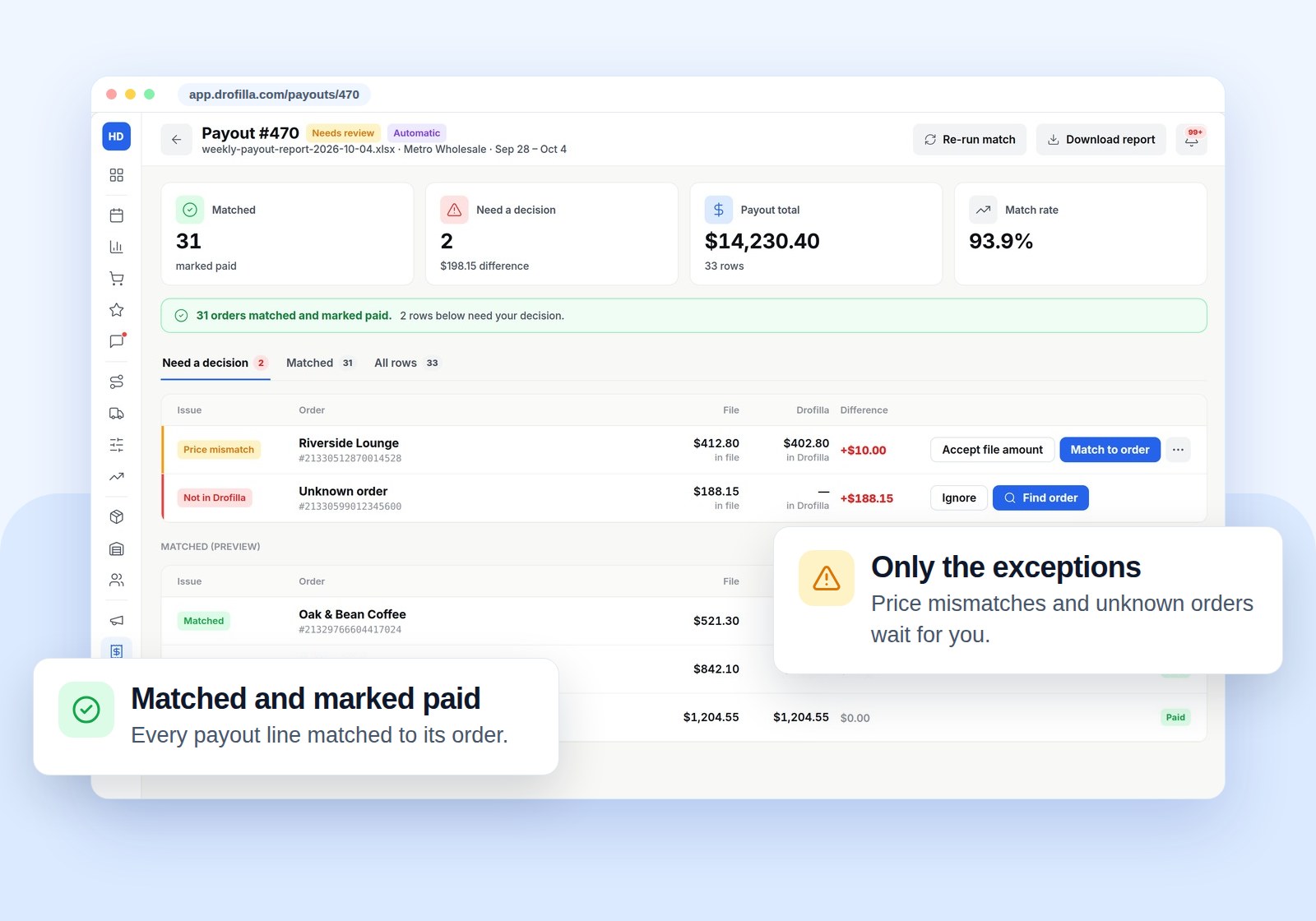
- Price mismatch: accept the file amount or fix the order.
- Not in Drofilla: find the order, or flag it.
- Unmatched orders: delivered orders with no payout line are listed and aged, so a missing payment can't hide.
RD Delivery runs its payout reports this way, with 96% of payout lines matched automatically.
FAQ
How often should I reconcile payouts? Every time a report arrives. Waiting until month end makes gaps harder to trace.
What matters most for clean matching? Consistent order numbers on both sides. Normalize them before matching.